The Ultimate Guide to Managing ChatGPT History: Mastering Every Feature of iLoveAI
"I have thousands of ChatGPT conversations. How do I organize them, search them, and actually put them to use?"
If you are asking this question, you are ready to move beyond simple chatting and become a master of your AI history. The official ChatGPT interface is great for conversation, but it wasn't built for long-term knowledge management.
That's why we built iLoveAI (https://ilove-ai.net/).
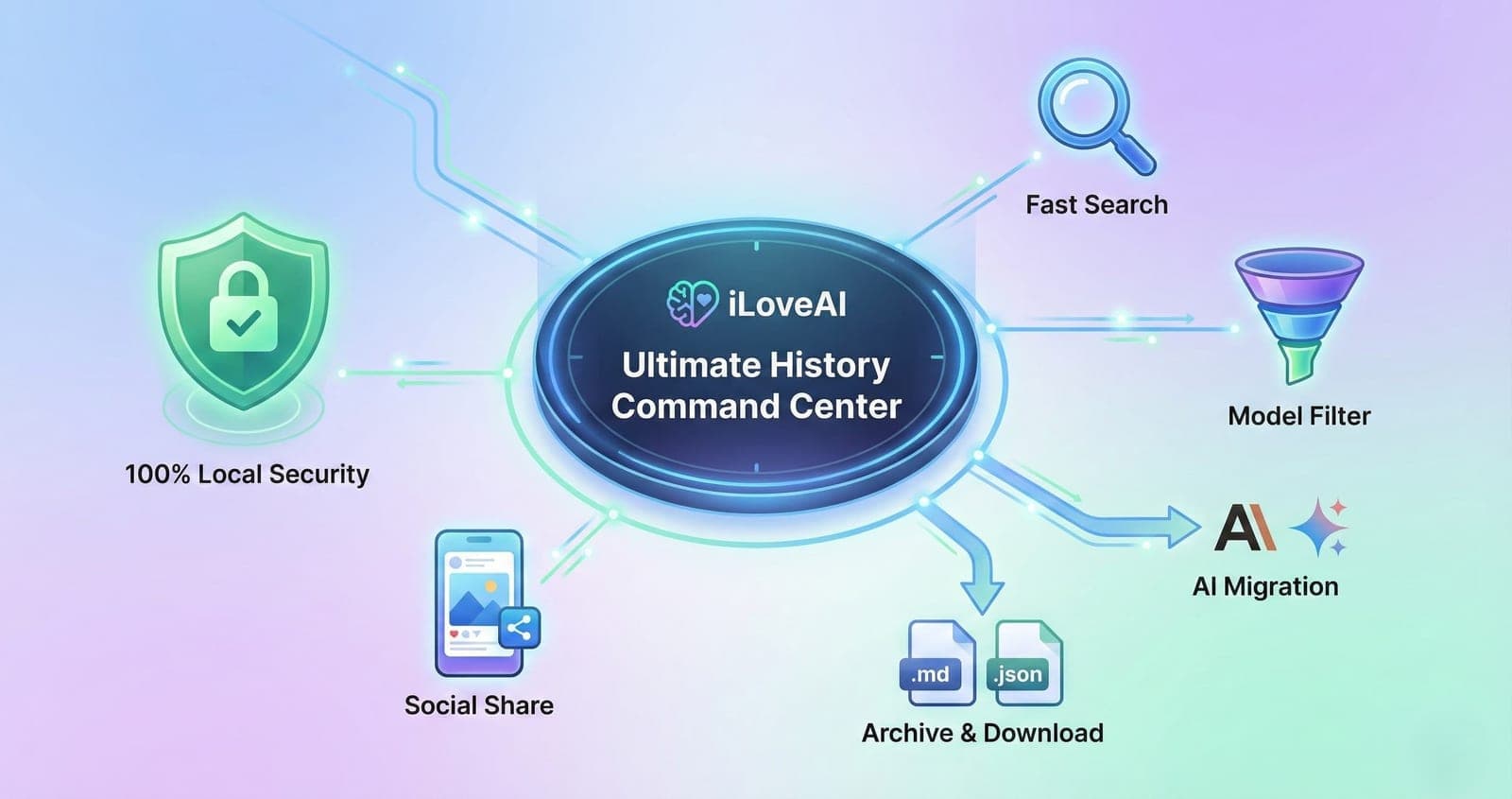
iLoveAI is the definitive, all-in-one tool designed to give power users complete control over their ChatGPT data. It's not just a viewer; it's a powerful search engine, a transformation tool, and a secure archive for your digital brain.
This guide will walk you through every feature of iLoveAI and show you smart ways to master your ChatGPT history.
1. The Basics: Viewing Your History in Style
Before you can manage your history, you need to see it. iLoveAI transforms your raw, messy exported data into a beautiful, functional interface.
- Simple Drag & Drop: No complex setup. Just drag your exported
conversations.jsonfile onto the homepage. (Don't have the file? See our guide: How to View Your ChatGPT History JSON File). - Beautiful Rendering: Conversations are displayed in a clean chat format. Code blocks, Markdown, lists, and tables are all rendered perfectly, just like in ChatGPT.
- Large File Support: History files up to 300MB are parsed in a Web Worker, so the page stays responsive while loading. (Learn more: How to View Your ChatGPT History).
2. Search & Organize: Find Anything Instantly
Stop scrolling endlessly. iLoveAI's powerful organization tools let you find the exact needle in your haystack of conversations.
Blazing-Fast Full-Text Search
Forget the slow, incomplete search on the official site. iLoveAI indexes your entire history locally, allowing you to search every word of every message instantly.
- Smart Search: Just start typing in the search bar. Results appear in real-time, with matching keywords highlighted. (Read more: How to Instantly Full-Text Search Your History).
Folders and Tags
- Folders: Group conversations by project or topic. Folders can be nested and rearranged by drag and drop.
- Tags: Tags are detected from the content of a conversation, and one click filters the list down to a single tag.
See Which Model Answered
Every assistant message shows the model that produced it (GPT-4, GPT-4o and so on), and the stats screen breaks your history down by model.
3. Act & Share: Put Your History to Work
Your history shouldn't just sit there. iLoveAI helps you extract value from it and take it anywhere.
One-Click Migration to Claude & Gemini
Want to move a long conversation context to Claude or Gemini? Copy-pasting manually is a mess.
- Instant Reformatting: Select any number of threads, and iLoveAI will instantly format them into the optimal structure for Claude (
Human:/Assistant:) or Gemini (User:/Model:) and copy them to your clipboard. (See how: Migrate ChatGPT History to Claude & Gemini).
Download for Permanent Archiving
Don't rely on OpenAI to keep your data forever. Take control and save it locally.
- Markdown & JSON Download: Select your most valuable conversations and download them as clean Markdown files (perfect for Notion or Obsidian) or raw JSON for development. (Guide: Download History as Markdown/JSON).
Look Back at How You Use AI
The stats screen totals your conversations and messages, and shows your most active hours and months along with the mix of models you used.
- Shareable Image: Your stats can be turned into an image in one click and saved, ready to post to X or Instagram.
4. The Foundation: Uncompromising Privacy
All of these powerful features are built on a foundation of absolute privacy.
- 100% Local Processing: iLoveAI runs entirely in your web browser. Your file never leaves your computer. We never see, store, or transmit your private conversations. It's the safest way to manage sensitive data. (Understand why: Why Local Processing is Crucial for Safety).
Master Your History Today
iLoveAI is more than just a viewer tool; it's your personal command center for AI interactions.
Start using all these features together, and you'll find yourself getting more value out of your past work than ever before.
Try iLoveAI now—it's free, private, and powerful.